


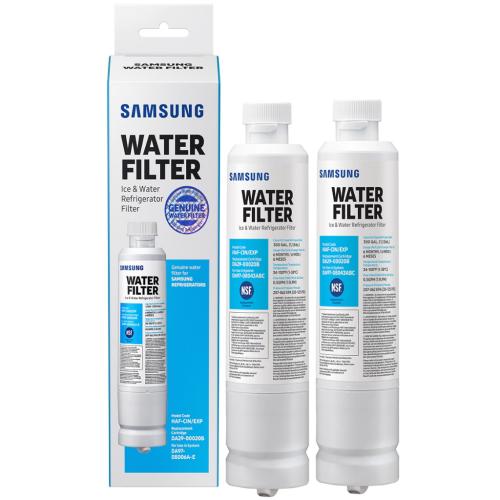
Samsung Refrigerator Water Filter 2 Pack - HAF-CIN-2P-EXP
Part #: HAF-CIN-2P/EXP
Brand: Samsung
Ensure clean, filtered water in your Samsung refrigerator with the HAF-CIN-2P-EXP Refrigerator Water Filter 2 Pack. Over time, filters lose effectiveness, reducing water quality and potentially affecting ice production. This replacement pack provides reliable filtration to maintain safe, great-tasting water.
Made from high-quality filtration materials, the HAF-CIN-2P-EXP filters effectively remove impurities while ensuring consistent water flow. The durable design guarantees long-lasting performance for continued appliance efficiency.
Installation / Replacement Instructions:- Turn off the water supply to the refrigerator.
- Open the filter compartment in the fridge or freezer.
- Remove the old water filter by twisting or pulling it out as per model instructions.
- Insert the new HAF-CIN-2P-EXP filter into the compartment.
- Twist or lock the filter securely into place.
- Flush water through the dispenser to remove air and activate the filter.
Compatible with multiple Samsung refrigerator models, this OEM-quality water filter pack ensures safe, clean water and efficient ice production.
Key Features:- Refrigerator water filter 2-pack – part number HAF-CIN-2P-EXP
- Removes impurities for clean and safe water
- Durable construction for consistent performance
- Compatible with various Samsung refrigerator models
- Simple installation for quick replacement
- OEM-quality filters for reliable operation
Does this part fit my model?
Supported Models
The Samsung HAF-CIN-2P/EXP Refrigerator WATER FILTER is the correct replacement for the following model numbers.
Shipping & Delivery
Frequently Asked Questions - Samsung Refrigerator Water Filter 2 Pack - HAF-CIN-2P-EXP
How do I change the Samsung HAF-CIN-2P/EXP water filter?
To change the Samsung water filter, locate the filter compartment (usually inside the fridge or at the base), twist the old filter counterclockwise to remove it, insert the new HAF-CIN-2P/EXP filter, and twist it clockwise until secure.
How do I install a Samsung water filter in my refrigerator?
Insert the new Samsung water filter into the compartment, making sure it aligns with the grooves. Push it in and twist it to the right until it locks into place. Make sure it’s secure to prevent leaks.
How do I reset the “Change Water Filter” light on my Samsung refrigerator?
After replacing the filter, press and hold the “Filter Reset” button for 3-5 seconds. The light will reset, signaling that the new filter is installed. This process may vary by model, so check your user manual if needed.
Do I need to soak a Samsung water filter before installing it in my refrigerator?
No, it’s not necessary to soak the Samsung HAF-CIN-2P/EXP water filter before installation. However, flushing the filter with a few cups of water after installation is recommended to remove carbon dust.
Why is my Samsung water filter dispensing water slowly after replacing it?
If the water is dispensing slowly, check to make sure the filter is installed correctly and that there are no air pockets in the lines. Flushing a few cups of water through the system can help resolve this.
How do I clean the filter compartment before installing a new water filter?
Wipe down the compartment with a damp cloth to remove any dust, debris, or water residue. Avoid using harsh chemicals that could damage the filter compartment or the new filter.
Can I use a generic water filter in my Samsung refrigerator?
While generic filters may fit, it’s recommended to use the Samsung HAF-CIN-2P/EXP filter for optimal performance and filtration. Generic filters may not perform to the same standard, especially in removing contaminants.
Why is the water from my Samsung refrigerator filter still cloudy or discolored?
This can happen after replacing the filter due to air bubbles or carbon dust. Run 2–3 cups of water through the dispenser and discard them to clear the system.
